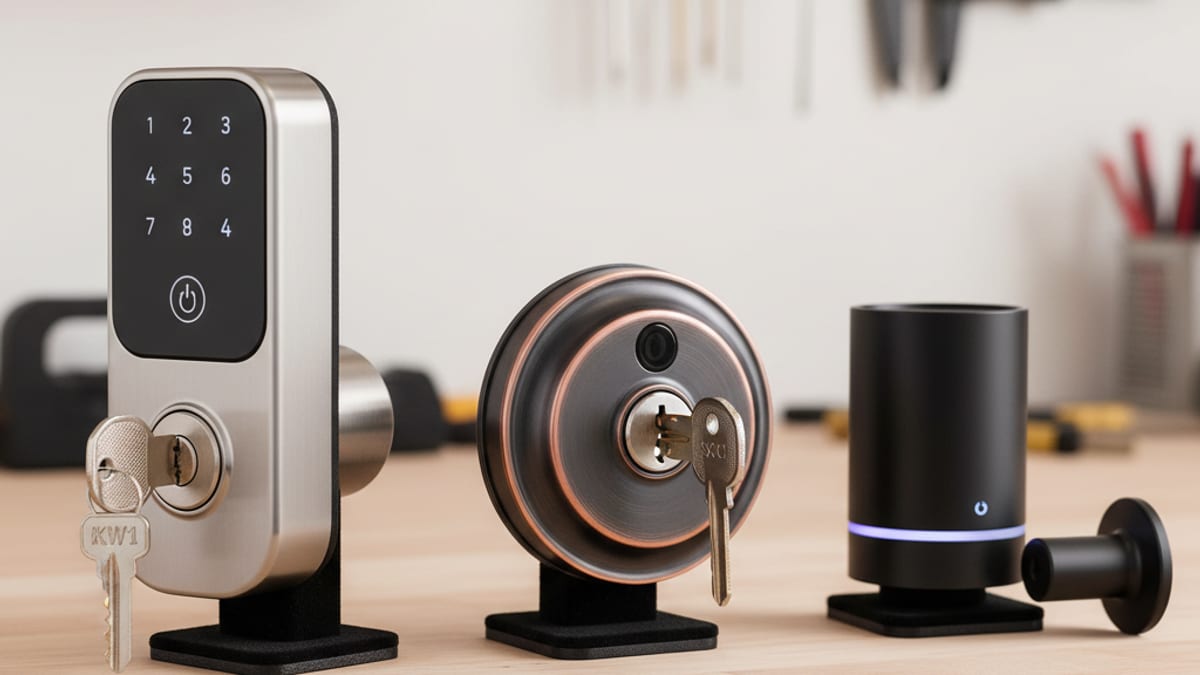
The best smart lock for you depends on how you want to use it. A short-term rental host has different needs than a working parent with kids who keep forgetting keys. This guide is a use-case checklist for smart lock installation in San Diego County: keypad, guest codes, budget, retrofit, and Home Key. An independent licensed locksmith inspects the door, quotes the hardware, and installs it. Swift Key San Diego only matches the call.
The quick recommendations
- Best overall keypad lock: Schlage Encode Plus
- Best for Airbnb / short-term rentals: Yale Assure Lock 2
- Best budget option: Kwikset Halo
- Best retrofit (keeps your existing lock): Level Bolt
- Best if you want Apple Home Key: Schlage Encode Plus or Level Lock Plus
- Avoid: any no-name smart lock at a suspiciously low Amazon price
The features that actually matter
Ignore half of the marketing. These are the four features that separate a good smart lock from a bad one:
1. Mechanical reliability
The motor that extends and retracts the bolt is the most failure-prone part of any smart lock. Cheap motors labor when the strike plate is even slightly out of alignment, which burns batteries and eventually fails entirely. The reliable brands (Schlage, Yale, Level, August) use gear-driven motors that handle minor misalignment gracefully. The bad ones (most no-name Amazon locks) use direct-drive motors that bind on the first sticky strike.
2. App quality and ongoing support
A smart lock without a working app is just a slow keypad. Check the manufacturer’s current support page and the App Store or Play Store listing before you buy. Ask how long that model is still receiving updates. A lock from a brand with no current listing is a keypad you cannot manage remotely.
3. Battery life
Read the install sheet and the manufacturer’s battery guidance for the exact model. Alignment matters: a bolt that drags on the strike makes the motor work harder and drains cells faster. If the lock already sits on the door, have a locksmith check the strike before you treat short battery life as a hardware defect.
4. Physical override key
Prefer a model with a physical key cylinder as backup. When batteries die overnight, or Wi-Fi is down, the override key opens the door. Smart-lock-only designs with no physical key leave you waiting on a battery or a service call. Keep a working key somewhere you can reach without the app.
Top pick: Schlage Encode Plus
Relative cost: premium shelf Best for: Homeowners who want a reliable keypad deadbolt with modern tech
The Schlage Encode Plus is a traditional deadbolt form factor with a lighted keypad, built-in Wi-Fi, a physical override key, and Apple Home Key support on current Encode Plus hardware. Confirm Home Key on Schlage’s current product page before you buy. You tap a compatible iPhone or Apple Watch against the lock.
The app is solid, codes can be scheduled (e.g., “dog walker only gets in Monday-Wednesday from 2-4pm”), and you can see the entry log remotely. Zero proprietary hub required, it joins your Wi-Fi directly.
Downsides: priced at the high end, only available in a limited color range, and the keypad is visibly larger than a traditional deadbolt (some people don’t love the aesthetic).
Best for rentals: Yale Assure Lock 2
Relative cost: mid-premium shelf (Wi-Fi module sold separately) Best for: Airbnb / VRBO hosts, parents with teenagers, anyone who manages guest codes frequently
The Yale Assure Lock 2 has the best app for managing time-limited and recurring codes in the industry. You can generate a code for a guest that only works during their check-in window, with automatic expiration, perfect for short-term rentals. The app also integrates cleanly with Airbnb to auto-generate codes when new bookings are made.
The Wi-Fi module is sold separately but enables remote code management. Without it, you have to be physically present (or on Bluetooth range) to add codes. Skip the Wi-Fi only if you’re adding codes in person every time.
Downsides: the physical key override is hidden behind a cover that some users dislike, and the Wi-Fi module occasionally needs a reboot after firmware updates.
Best budget pick: Kwikset Halo
Relative cost: budget shelf Best for: Homeowners who want smart functionality without paying premium
The Kwikset Halo is an entry-price Wi-Fi keypad deadbolt with a physical key backup and the standard Kwikset SmartKey cylinder on the outside, which means it’s rekeyable by a homeowner with the included tool. Check the manufacturer’s current battery notes against Encode Plus if runtime is your main concern. The Halo app is generally less polished than Yale’s.
Downsides: Ask Kwikset’s current documentation how this generation of SmartKey is specified. Some security-focused homeowners still prefer Schlage’s stock Schlage keyway. Do not treat an older SmartKey anecdote as a verdict on the lock in the box.
Best retrofit: Level Bolt
Relative cost: premium retrofit Best for: Homeowners who love their existing deadbolt’s look and don’t want to change the exterior hardware
Level makes the cleanest retrofit smart locks on the market. The Level Bolt replaces the interior-only mechanism, the exterior side of your deadbolt stays exactly the same, including your physical key cylinder. From the street, no one can tell your door has a smart lock at all.
This is the right pick if:
- You have a high-end deadbolt (Emtek, Baldwin, or a custom bronze finish) you don’t want to replace
- You live in an HOA that restricts exterior hardware changes
- You want the minimum visual intrusion
Downsides: no keypad (so no code entry without the app or a physical key), and the install requires a more precise fit than standard smart deadbolts, a misalignment that’s invisible on a traditional deadbolt can cause the Level motor to labor.
Brands and models to skip or verify first
Not every smart lock is worth buying:
- Any lock from a brand you’ve never heard of at a suspiciously low price. Check whether the current app still exists, whether the manufacturer still lists the model, and whether anyone answers support before you buy.
- Locks marketed as “smart” that are really Bluetooth-only. Without Wi-Fi or a hub, you can’t manage codes remotely. You have to be at the door to change anything. That defeats the point for most rentals and family codes.
- Older August Smart Locks. The retrofit design can still be useful; confirm on August or Yale’s current support pages whether that exact model still receives firmware updates. If you’re buying a Level-style retrofit now, compare Level’s current install sheet to the door you have.
- Discontinued lines. Before you keep or buy a Wyze lock or any other pulled model, read the manufacturer’s current support status. Do not assume a leftover unit will stay connected.
What about Apple Home Key / Google Home / Amazon Alexa compatibility?
If you’re locked into a specific smart-home ecosystem, a few things to know:
- Apple Home Key (iPhone tap-to-unlock) is a manufacturer feature, not a Swift Key list. Check Apple’s current Home Key compatibility information and the lock maker’s product page for the exact model in the box.
- Google Home often works with Wi-Fi smart locks through the brand app. Confirm Schlage, Yale, August, Level, or Kwikset on that brand’s current integration page.
- Amazon Alexa is the same check: confirm the current Alexa skill and whether your setup requires a PIN for voice unlock.
- SmartThings support is model-specific and often needs a hub. Read the lock’s current pairing notes.
The install is the hardest part
The smart lock you buy matters less than getting it installed correctly. The three things a poor install gets wrong:
- Strike plate alignment. If the bolt doesn’t drop cleanly into the strike, the motor labors every cycle. Fix the strike alignment first.
- Screw torque. Over-tighten and you warp the lock body; under-tighten and the lock rattles. Hand-tight plus a quarter-turn is the target.
- Wi-Fi signal at the door. Smart locks need a stable 2.4GHz signal. If your router is on the other side of the house, you’ll lose the smart features during outages.
A professional install handles all three correctly. A DIY install that skips any of them often shows up later as short battery life and flaky app connectivity. If you’re also upgrading existing hardware at the same time, an independent locksmith can pair deadbolt installation with a smart lock swap in a single visit. They quote that combination. Swift Key does not.
Frequently asked questions
How much does smart lock installation cost in San Diego?
Professional smart lock installation in San Diego is quoted from the lock model and whether the door needs strike plate adjustment or new wiring. The hardware itself is separate. Ask for hardware and labor as two lines.
Can a smart lock work without Wi-Fi?
Yes, if the model you bought has a keypad or a physical key cylinder that works without the network. If your internet goes down, you still get in via the keypad code or the override key. What you lose during an outage is remote access: you can’t unlock from your phone or see the entry log until connectivity is restored. Confirm those backup methods on the install sheet before you hang the lock.
Will a smart lock work with my existing deadbolt hole?
Often, if the existing deadbolt bore matches the new lock’s install sheet. Level Bolt is the exception: it replaces only the interior mechanism and leaves your existing exterior hardware in place. Measure door thickness and the existing bore, then check those numbers against the manufacturer’s sheet for the exact model. Do not assume every San Diego door matches a generic range.
How long do smart lock batteries last?
Read the manufacturer’s battery notes for that model. A misaligned strike plate makes the motor work harder and can drain cells early. When the battery gets low, many locks give audible or visual alerts before they stop. Check the install sheet for any exterior jump terminal and for the exact cell type. Do not copy another model’s runtime onto yours.
Can a locksmith help if my smart lock stops working?
Yes. An independent locksmith can inspect a failed motor, a binding door, or hardware that needs replacement. App pairing and account recovery still belong with the manufacturer when the door itself works. Call (858) 400-4082 for a match. Swift Key does not diagnose DIY versus a service call. The locksmith inspects, quotes, and installs.
Looking to install a smart lock in San Diego? Swift Key San Diego is a referral service. Call (858) 400-4082 and we’ll connect you with a licensed independent locksmith. That locksmith inspects the door, quotes hardware and labor, installs the lock, and sets their own terms. Swift Key does not quote, install, or diagnose the job.